All articles

How to select your pet's breed

Your pet's breed shows under their name on the main screen. You can pick more than one breed for a mixed breed.

Select a breed

  1. Tap your pet on the main screen.
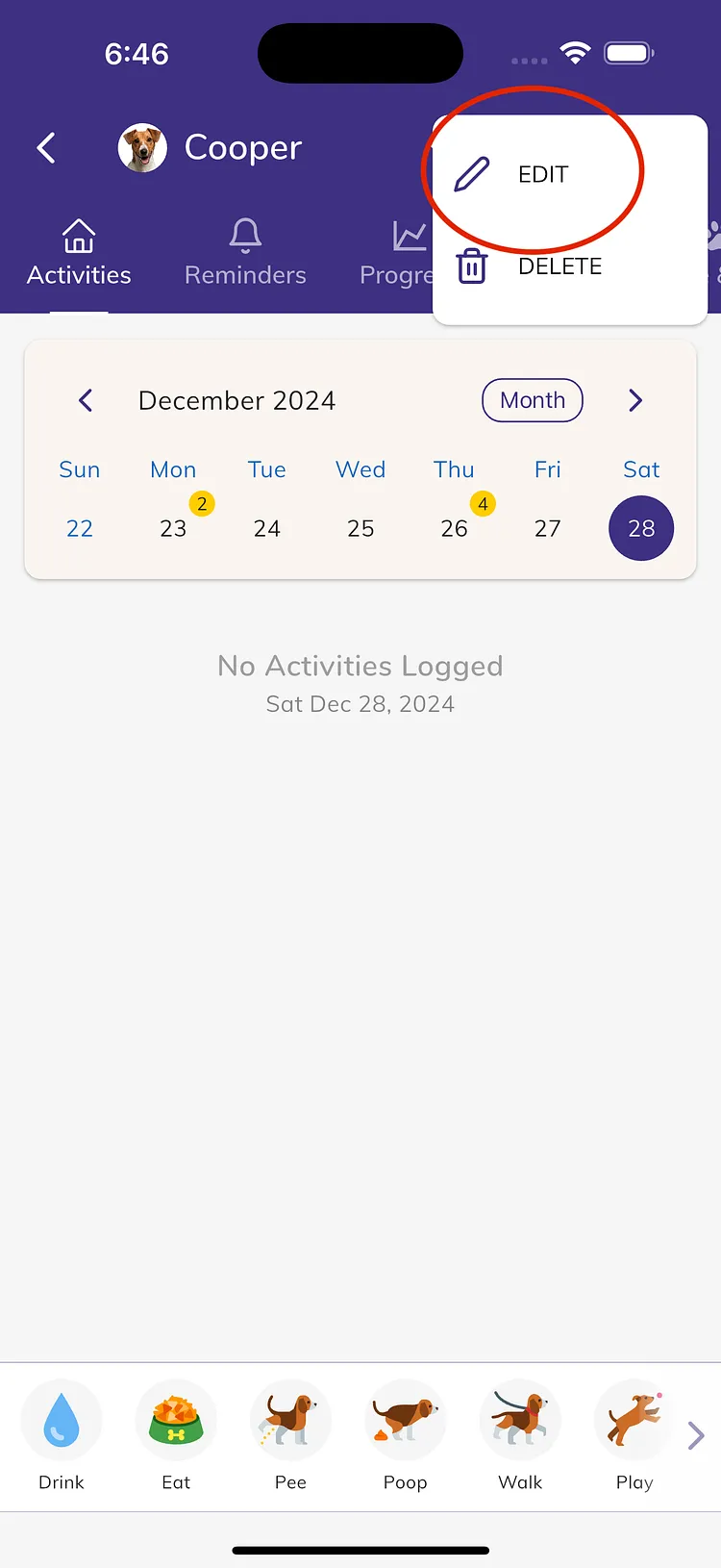
  2. Tap the three dots at the top right, then tap Edit.
  3. Check that the Species is right. The breed list only shows breeds for that species.
  4. Under Breed, tap Select pet breed (or the breeds already chosen).
  5. Type in the Search... box to find the breed.
  6. Tick one or more breeds. For example, for a Pit Bull and Labrador mix, tick American Pit Bull Terrier and Labrador Retriever.
  7. Tap Done.
  8. Tap Save.

Can't find your pet's breed?

We add new breeds regularly. If you see "Syncing new pet breeds...", wait a moment for the latest list to load.

If the breed is still missing, tap Please let us know under the breed list. This opens a chat with our team with a message ready to send. Add the breed name, as specific as you can, and send it.

Troubleshooting

  • The breed list shows the wrong breeds: check the Species first, then select the breeds again.
  • There is no Select pet breed button: we don't have breeds for this species yet. Tap Please let us know and tell us the breed.

Still need help?

Our team is happy to help.

Contact Us